

Operators In JavaScript

I am a Software developer. Who want's to become the best in his field, want to grow to my fullest and push past my limit. Always thriving for knowledge. Love to code, like to connect to like minded people who are in coding. Love to play cricket, but don't watch that much.
What is Operators ?
Operators are symbols that are used to perform some operation on a values or variables.
Type of Operators.
- Arithmetic Operators
Addition Operator
+Subtraction Operator
-Multiplication Operator
*Division Operator
/Modulo Operator
%
We will go through each and every one of them and see how these operators work.
- Addition Operator : As the name suggest it's a operator that is used to perform addition of the 2 number. And if used with
stringsitconcatenatethe strings.
let num1 = 2;
let num2 = 3;
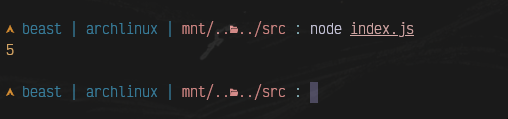
console.log(num1 + num2);
// output  : 5

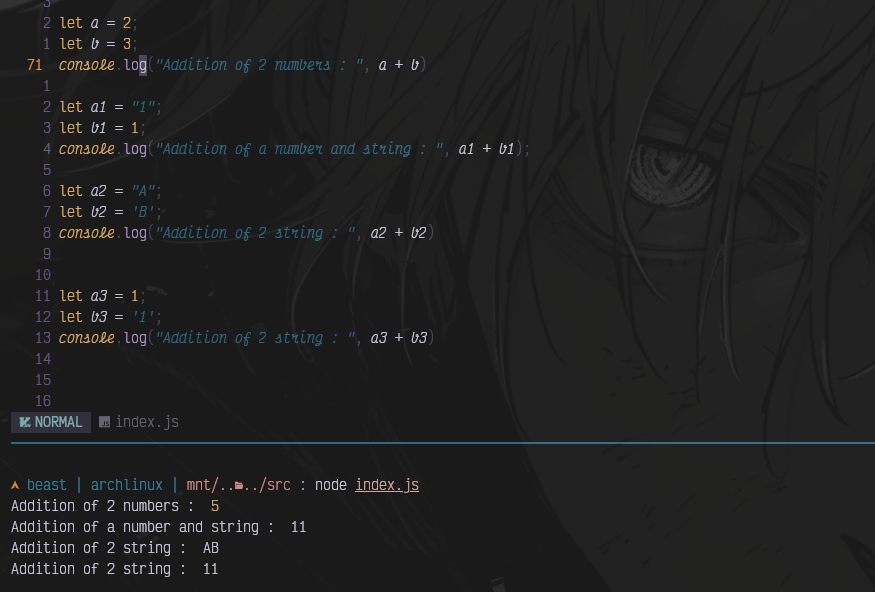
- Subtraction Operator: This operator allows you to perform subtraction between 2 numbers.
let num1 = 8
let num2 = 4
console.log(num1-num2)
// output : 4

You might find the above snippet a bit confusing. Let me clear your confusion.
First Condition : a = 2 and b = 3 and we did a-b which is 2-3 giving you output -1
Second Condition : Where we did subtraction of string and number.
so when you do that JavaScript internally convert the string to number.
let a = "1";
let b = 1;
// What will happen
// Javascript will do this
// Number("1") - 1 => giving you output : 0
- Multiplication Operator : This operator helps to perform multiplications.
let a = 3
let b = 3
console.log(a * b );
In the image given below, you can see what happen what will happen when you multiple values of different datatypes.

If the given value is not number then you'll get NaN error (Not a Number).
Division Operator : So, division operator is used for performing division operations. It
returns quotientof its operands.
Division Operator perform on two types of operands :numberandBigInt.
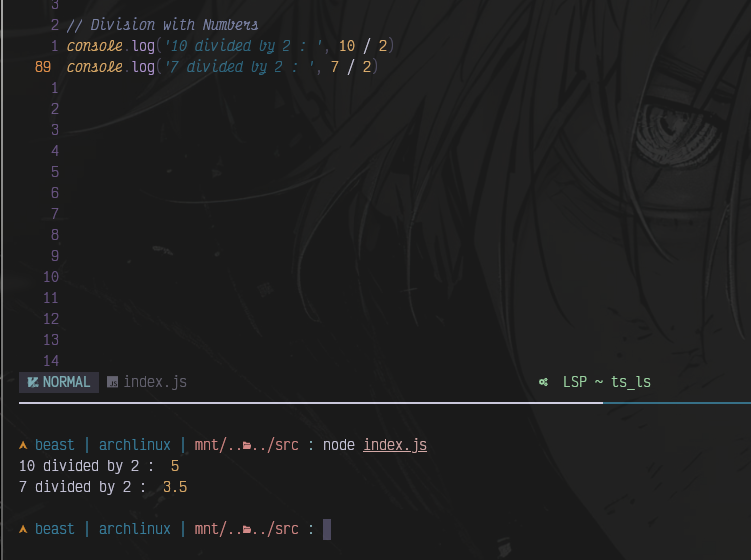
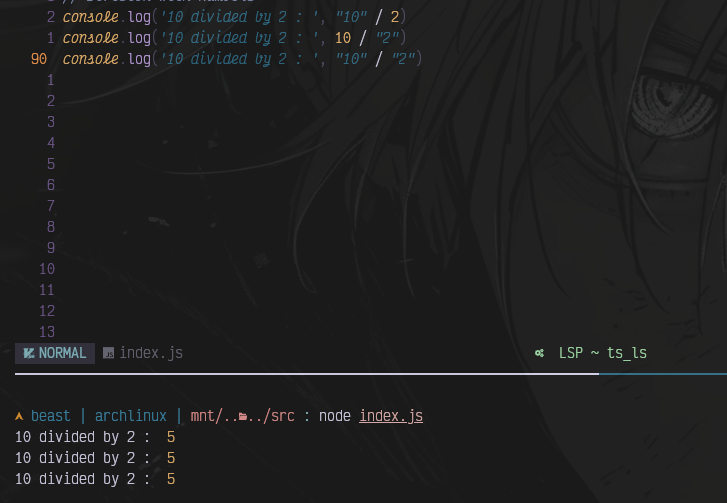
It first coercion both operands to numeric values and check their types. It perform BigInt Division if both the operands areBigIntotherwise it doesnumberdivision.Let's check some example.
Division with Number
Division with Numeric String.
Division with non-numeric strings.
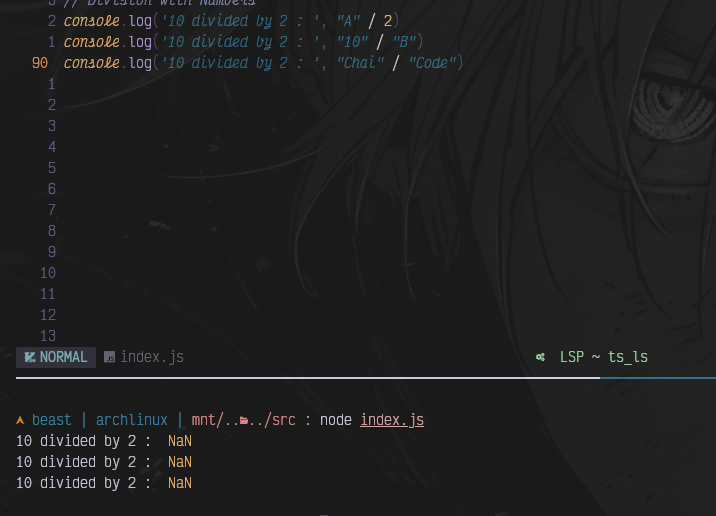
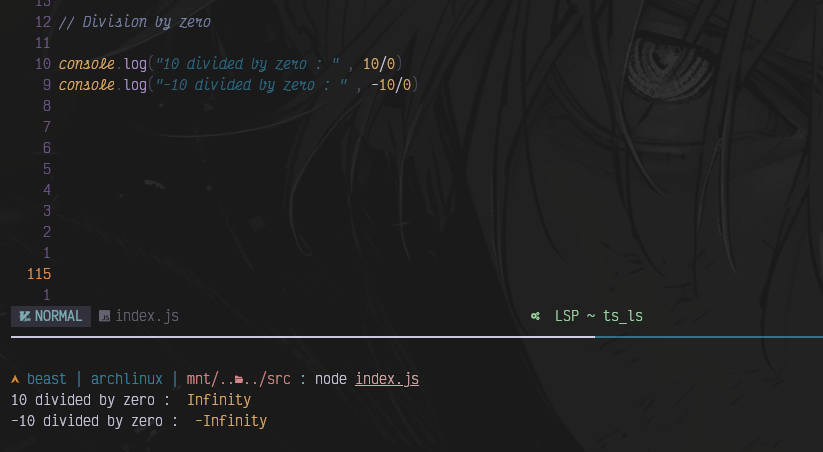
Division by zero
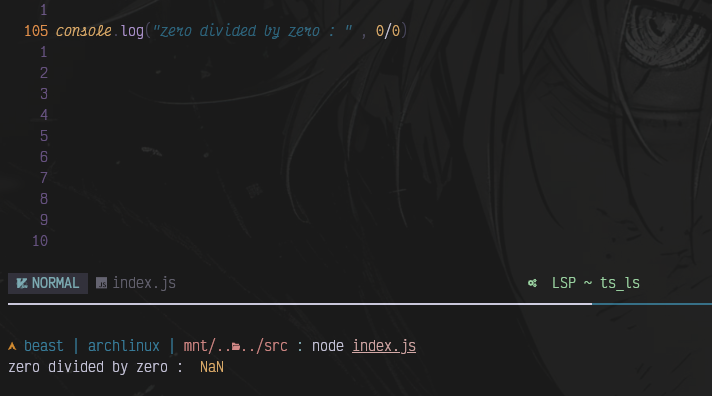
zero divided by zero
Array Division (Weird Behavior)
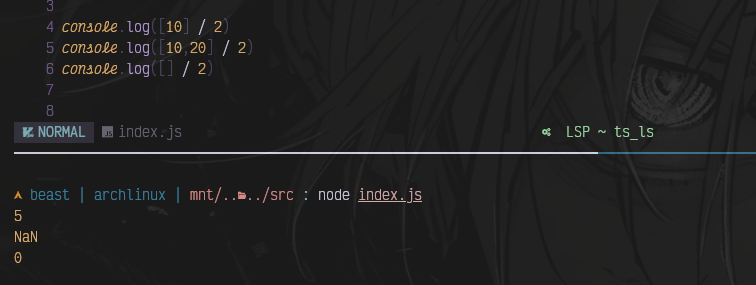
[10] → "10" → 10
[10,20] → "10,20" → NaN
[] → "" → 0
BigInt Division

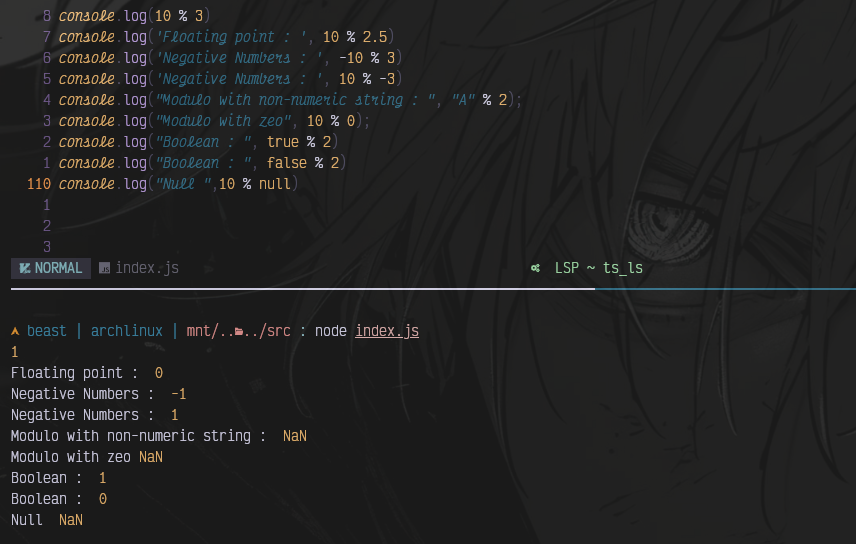
Modulo Operator : This operator also perform division but instead of returning quotient it return
remainder.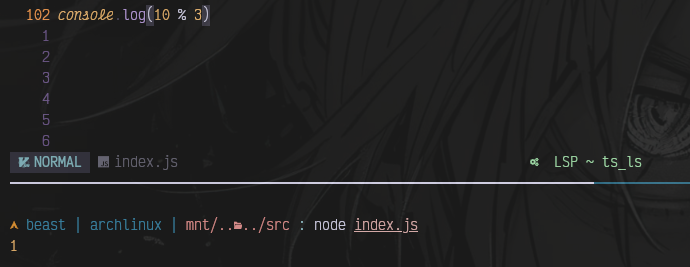
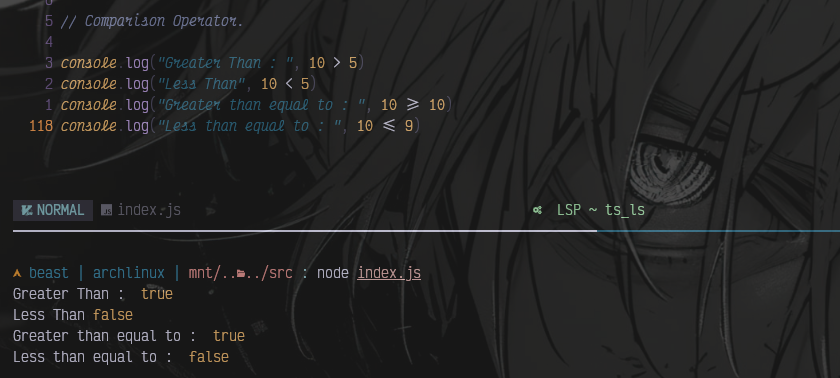
Comparison Operator.
Comparison operator are use to compare two values and it returns a boolean value true or false .
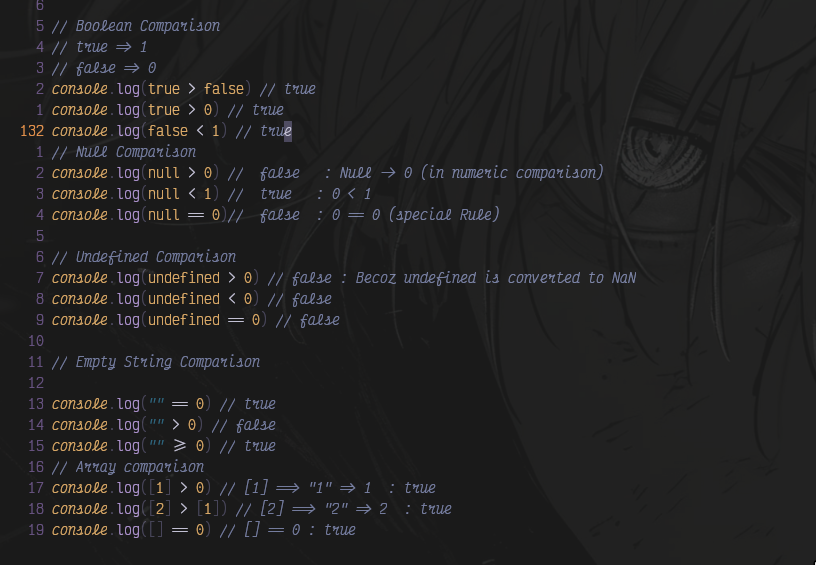
For equality there are 2 types of equality.
Loose Equality :
==This only check if the 2 values are equal or not.Strict Equality :
===This Check the type of the values also, if the datatype of the given value differ it return false.
console.log(1 == 1) // true
console.log(1 === 1) // true
console.log(1 == "1") // true
console.log("1" === 1) // false
console.log("1" ==="1") // true
Logical Operators
Unlike many languages, JavaScript logical operators do not always return true/false.
They often return one of the operands, which is an important behavior to understand.
Logical And (&&) : && returns the first falsy value, otherwise it returns the last value.
// JavaScript Falsy Value
false
0
""
null
undefined
NaN
console.log(true && true) // true
console.log(true && false) // false
console.log(false && true) // false
Number Example
console.log(5 && 10) // output : 10
console.log(0 && 10) // output : 0
//5 is truthy → check next → return 10
//0 is falsy → return 0 immediately
Logical OR (||)
console.log("" || "default value")
console.log("hello" || "world")
// Output
//"default value"
//"hello"
Multiple Value Example
console.log(null || undefined || 5 || 10)
// output : 5

/* Explanation
null → falsy
undefined → falsy
5 → truthy → stop
*/
Real Usecase of (||) operator
let username = inputName || "Guest"
if username is empty, output will be.
username = "Guest"
Logical NOT (!)
! converts the value to boolean and reverses it.
console.log(!true)
console.log(!false)
// output
//false
//true
Real world scenario where you can use ! operator
Let's assume you are building a website and your user is logged-in and user data is stored in the database.
And when you do so, generally after login you create a auth token and send it from backend to front-end, then you store it either in cookies or in local storage of the browser.
And You have to create a check that if the authToken is not present, you generally redirect the user to login page since that means user is not logged-In.
So let's see how it's done
// Lets take variable name authToken

if(!authToken){
// if authToken is not present.
   redirect("/login");
}
else {
// if AuthToken is present
 redirect("/");
}
| Operator | Behavior |
|---|---|
&& |
Returns the first falsy value or the last value |
| ` | |
! |
Converts value to boolean and reverses it |
!! |
Converts any value to a boolean |
Assignment Operator
Assignment operators are used to assign values to variables or update the value of a variable using an operation.
Most Common assignment Operators
= , +=, -=
Simple Assignment Operator
The = operator assigns the value to a variable
let age = 23;
const pi = 3.14
let x = 5;
let y = x;

console.log(y);
Addition Assignment Operator +=
The += operator adds a value to the current variable and assigns the result back to the variable.
Syntax
/*
variable += value
doing this is same as doing this
variable = variable + value */
let count = 0;
count += 4;
// output : 4

// String Example
let message = "Hello";
message += " World";

console.log(message); // Hello World
// message = message + " World" , this performs string concatenation.
Subtraction Assignment Operator -=
The -= operator subtracts a value from a variable and assigns the result back to the variable.
// variable -= value
// Equivalent to
// variable = variable - value
let a = 20;
a -= 5;

console.log(a); // a = 15;
Summary Table for assignment operators
| Operator | Meaning | Equivalent Expression |
|---|---|---|
= |
Assign value | a = 10 |
+= |
Add and assign | a = a + value |
-= |
Subtract and assign | a = a - value |
Example Table for assignment operators
| Expression | Result |
|---|---|
let a = 5 |
a = 5 |
a += 3 |
a = 8 |
a -= 2 |
a = 6 |
"10" += 5 |
"105" |
"10" -= 5 |
5 |


